Lone Worker Devices vs Apps: Which protects best?
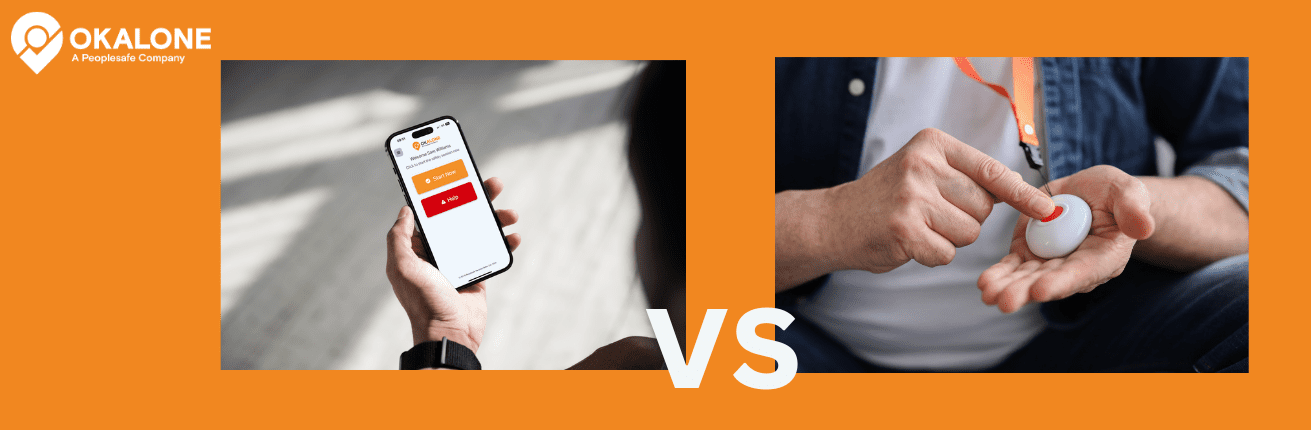
The debate of lone worker devices vs apps-based monitoring systems continues in 2026, but the way organisations are comparing the two has changed.
Rather than simply asking which option has the most features, employers need to consider the risks their lone workers actually face, how easily a solution can be introduced across their workforce and what happens when a worker needs help.
Ultimately, effective lone worker protection is not about whether someone carries a dedicated device or uses an app. What matters is whether the system provides the right protection for the hazards that worker faces and ensures that somebody knows when they may need assistance.
When comparing Lone Worker Devices vs Apps, understanding how each approach supports lone worker safety can help organisations choose a solution that fits their workers, their risks and the way they operate.
How Lone Worker Devices Operate
Dedicated lone worker devices are physical units that workers carry or wear while working alone. Depending on their purpose, they can range from relatively simple personal alarms with an SOS button to more specialist equipment designed for hazardous working environments.
This is an important distinction because some workers need more than a way to raise an alarm. Someone working around potentially hazardous gases, for example, may require specialist equipment with gas detection capabilities. Other environments may require particularly rugged equipment or specialist sensors that are designed for a specific hazard.
In situations like these, dedicated equipment may be the appropriate choice because the device is providing a safety function that a standard smartphone cannot replace.
There are also lone worker devices designed primarily around communication and personal safety. These may include SOS buttons, GPS location, satellite communication or other features that allow a worker to contact someone when they need assistance. Satellite devices can be particularly useful for people working in remote locations where reliable mobile coverage is not available.
The trade-off is that dedicated hardware needs to be managed. Devices have to be purchased or leased, issued to the right people, kept charged and maintained, and eventually replaced. Organisations with large or frequently changing workforces also need a process for recovering and reassigning equipment.
The decision, therefore, should not simply be whether hardware is better or worse than an app. It should be whether the worker's environment requires specialist equipment and, if it does, what that equipment needs to provide.
For many lone workers, the main challenge is different. They may not be exposed to a specialist environmental hazard, but they are working without somebody nearby who would quickly notice if something went wrong.
This is where an app-based lone worker system such as OK Alone can provide a practical alternative to dedicated hardware.
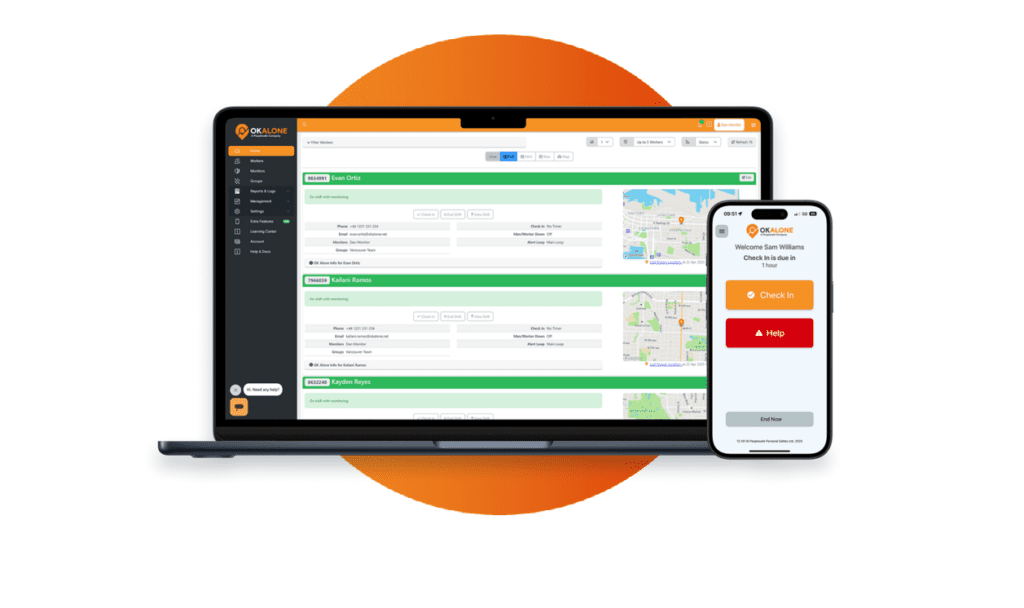
Workers can use their smartphone as part of their normal safety routine, checking in during their shift to confirm that they are OK. The organisation can decide how frequently those check-ins should take place based on the worker and the work they are doing.
If a worker becomes overdue, OK Alone can begin the organisation's configured alert process, allowing monitors to investigate and take the appropriate action. This creates a regular connection between the lone worker and the people responsible for their safety without requiring another device to be carried.
The smartphone can also provide other useful safety functions, including location information, emergency Help alerts and Worker Down monitoring. Rather than introducing a separate piece of equipment for each of these everyday lone worker requirements, organisations can bring them together within one system.
You can see how this works in more detail on the OK Alone home page.
An important part of choosing a lone worker solution is considering how somebody will know that a worker needs help.
An SOS button is extremely useful when a worker recognises that they are in danger and is physically able to activate it. The difficulty is that not every incident happens that way. Someone could become ill, suffer an injury, lose consciousness or find themselves in a situation where reaching for an alarm is not possible.
This is why relying on a worker to actively raise an alarm should not always be the only part of a lone worker procedure.
Regular monitoring provides another layer of protection. Instead of waiting indefinitely for someone to report a problem, the organisation has a process for establishing that workers are safe throughout their shift. A failure to make expected contact can then become a reason to investigate.
Automatic monitoring can provide another option where the risk warrants it. For example, OK Alone's Worker Down feature can monitor movement and raise an alert when a worker has not moved for a specified period. The important point is not that one method of detection is always better than another. A good lone worker procedure considers how an incident is likely to happen and whether the worker would realistically be able to ask for help if it did.
Another consideration is how easily a lone worker system can change with the workforce.
Organisations may need to protect permanent employees alongside contractors, seasonal workers, remote staff and teams operating across multiple locations. People join, leave, change roles and move between sites, sometimes at short notice.
With a hardware-based system, those changes can involve issuing, recovering and reassigning physical equipment. That may be a perfectly reasonable process for a smaller group of workers who genuinely need specialist devices, but it can become more involved when hundreds or thousands of people need protection across different locations.
App-based monitoring removes much of that physical administration. New workers can be added to the system and managed centrally, while their monitoring arrangements can be adjusted as their role or level of risk changes.
This can make an app-based approach particularly useful for organisations with dispersed or changing workforces, where the ability to add and manage workers without distributing additional hardware can simplify deployment considerably.
To explore the different deployment options available, visit the OK Alone Pricing page.
The cost of a lone worker solution also needs to be considered over its full working life rather than simply comparing the initial price.
Dedicated devices may involve purchase or rental charges alongside ongoing costs for connectivity, maintenance, replacements and device management. These costs may be entirely justified where specialist hardware is necessary. A gas detector, satellite device or other specialist piece of safety equipment is serving a particular purpose, so cost should be considered alongside the risk it is designed to control.
Where dedicated equipment is not required, using a smartphone-based system can reduce the amount of additional hardware an organisation needs to purchase and manage.
OK Alone operates on a subscription model and can use smartphones that workers already carry, helping organisations introduce lone worker monitoring without having to provide a separate personal safety device to every employee.
This means a useful cost comparison should include more than the subscription or purchase price. Organisations should consider hardware, connectivity, replacements, administration and the resources required to keep the system working effectively over time.
The starting point for choosing any lone worker safety solution should be the risk assessment rather than the technology.
Different lone workers face very different hazards. A visiting healthcare worker entering people's homes, a maintenance engineer working around hazardous substances and a forestry worker operating beyond mobile coverage may all be working alone, but that does not mean they need exactly the same safety controls.
Where a specific hazard has been identified, the organisation may need specialist equipment designed to address it. Where the concern is primarily isolation and the possibility that an incident could go unnoticed, a monitoring system that maintains regular contact with the worker may be more appropriate.
There may also be situations where the best approach involves both. Specialist equipment can address a particular workplace hazard while a lone worker monitoring system provides the communication, location information and escalation process around it.
The aim should be to select controls that reflect the actual work being carried out rather than choosing technology first and trying to make it fit every worker afterwards.
To help identify the level of protection appropriate for your team, refer to the Lone Worker Risk Assessment Guide.

When comparing Lone Worker Devices vs Apps, there is no single answer to which provides better protection because an app and a specialist safety device are not necessarily solving the same problem.
If a worker needs specialist gas detection, equipment designed for a particularly harsh environment or reliable communication beyond normal cellular coverage, dedicated equipment may be necessary.
If the main requirement is to maintain contact with people working alone, know when they may need assistance and provide a clear way to raise and respond to an alert, an app-based monitoring system can provide those functions without requiring every employee to carry another device.
For some organisations, the answer may be a combination of the two. OK Alone itself can work with supported satellite devices, allowing organisations to extend monitoring to workers operating beyond normal mobile coverage.
The important question is therefore not simply, "Which protects better?" It is, "What protection does this worker actually need?"
Once that has been established, it becomes much easier to decide whether an app, a dedicated device or a combination of technologies is the most appropriate approach.
Choosing between a lone worker app and a dedicated device should always come back to the worker and the environment they are working in.
Start by identifying what could realistically go wrong. Where are they working? What risks do they face? How quickly would somebody know if they needed help, and what should happen next?
Those questions help determine what the safety solution actually needs to do.
For some workers, specialist equipment will be essential. For others, carrying another device may add cost and administration without providing a safety function they genuinely need. In those situations, an app-based system such as OK Alone can provide a straightforward way to maintain contact, monitor lone workers and make sure there is a clear process to follow when somebody may need help.
The right approach can also combine technologies where necessary. What matters is that the solution reflects the risks workers actually face and gives both workers and their organisation a practical way to manage them.
To see how OK Alone could fit into your existing lone worker procedures, you can Book a Demo with OK Alone and discuss the monitoring requirements of your team.
Frequently Asked Questions
Yes, in many isolation-driven roles.
Not necessarily. Protection depends on risk alignment and escalation reliability.
In high-hazard environments where sudden incapacitation is credible.
No. It operates through existing smartphones.
Yes, when aligned with documented risk assessment findings.
App-based systems typically scale faster due to digital onboarding.
Yes. It eliminates hardware procurement and replacement costs.
Yes. Missed check-ins trigger configurable escalation procedures.
Yes. It is designed for distributed workforces.
Review the structured monitoring model and Request a Demo to assess alignment with your risk profile.



Stacey Manclark
As an expert in lone worker content management, I possess an extensive knowledge base and experience in the area of lone working and safety monitoring. My expertise in this field encompasses a wide range of areas, including risk assessment, training, communication, and technology. I have a deep understanding of the unique risks associated with lone workers and have researched and written many projects and articles to educate people in how to mitigate these risks.
Throughout my time with OK Alone, I have kept up to date with technological developments, legislative changes and regulations that have been introduced to help organizations ensure the safety of their lone workers.
Book a Demo Today
Alternatively, get a free trial of the app
Want to try OK Alone? Click the button below and enter your details. It's free and no credit card is required.
