Lone Worker App for Windows from Ok Alone
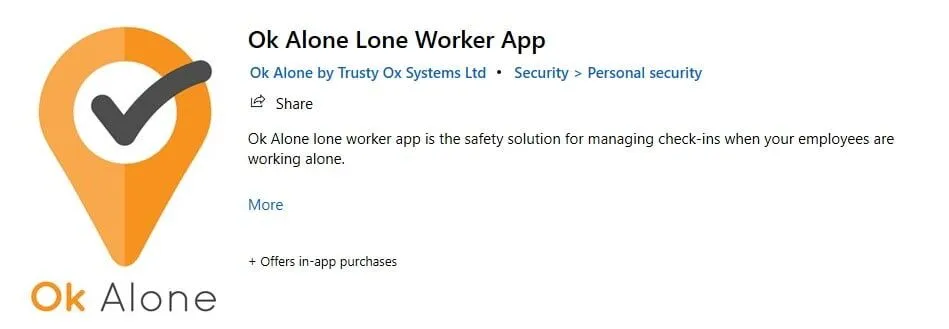

Introduction to the Ok Alone Windows App
Are you affected by work alone regulations and want to be certain your lone workers are safe? Do you also want to minimize your costs and the time it takes to monitor worker safety?
If this sounds like your situation, then Ok Alone Microsoft Windows app is a great solution as your lone worker safety monitoring system.
Ok Alone automatically alerts staff if a lone worker misses a check-in. It sends you their location and lets your people set special check-ins for high risk situations. If you want 24/7 live monitoring, our lone worker system does that too.
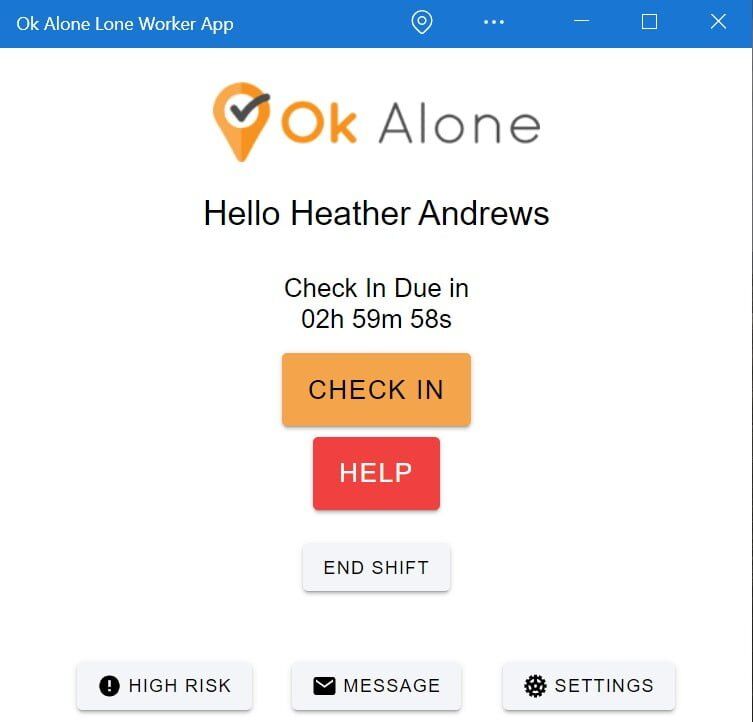
Features of the Windows App for Lone Workers
- Control check-in frequency
- Easy to use Help / Panic Button
- High risk check-ins
- Man Down / Worker Down Protection
- Location monitoring
- Check in Notifications
- Battery saver options
- WhatsApp Notifications
- Handsfree Voice Commands
Our App Reviews
We have some fantastic reviews of our app on Google, here is a selection of our favourites: 5/5Easy to use
Excellent communication and easy to use! by Kate Willis – 10 September 2020
5/5Great app
Great app, does the trick! by Travis Drolet – 28 October 2017
5/5Highly recommend
Been using this for a while now. Only had 1 problem (was my end) but customer service was brilliant at trying to figure out the issue. Highly recommend this service for peace of mind if you are a lone worker. by Robert Marrin – 3 May 2020
5/5Quick and simple to get started
Using Ok Alone for the first time and its surprisingly quick and simple to get started. The new Man Down feature works well. by Owen Wonorg – 21 September 2019
 Author Rating
  Aggregate Rating 5 based on 1 votes Software Name Ok Alone Lone Worker App for Android Operating System Windows Software Category UtilitiesApplication Price CAD 0 Landing Page https://www.microsoft.com/en-gb/p/ok-alone-lone-worker-app/9p5q44t3gmml?activetab=pivot:overviewtab
 Frequently asked questions
The article discusses Windows-based access to supported OK Alone safety functions, but current compatibility should be checked.
Run a controlled trial under the actual operating conditions and review worker and monitor feedback.
Alternative approved communication arrangements may be necessary depending on the workplace.
No. Workers and monitors need to understand its limitations and how alerts are handled.
Frequently asked questions
Functions and setup may differ between platforms. Confirm supported features using the current product guidance.
Run a controlled trial under the actual operating conditions and review worker and monitor feedback.
Alternative approved communication arrangements may be necessary depending on the workplace.
No. Workers and monitors need to understand its limitations and how alerts are handled.


Stacey Manclark
As an expert in lone worker content management, I possess an extensive knowledge base and experience in the area of lone working and safety monitoring. My expertise in this field encompasses a wide range of areas, including risk assessment, training, communication, and technology. I have a deep understanding of the unique risks associated with lone workers and have researched and written many projects and articles to educate people in how to mitigate these risks.
Throughout my time with OK Alone, I have kept up to date with technological developments, legislative changes and regulations that have been introduced to help organizations ensure the safety of their lone workers.
Book a Demo Today
Alternatively, get a free trial of the app
Want to try OK Alone? Click the button below and enter your details. It's free and no credit card is required.
