Choosing the Best Lone Worker Safety Devices and Apps for 2026
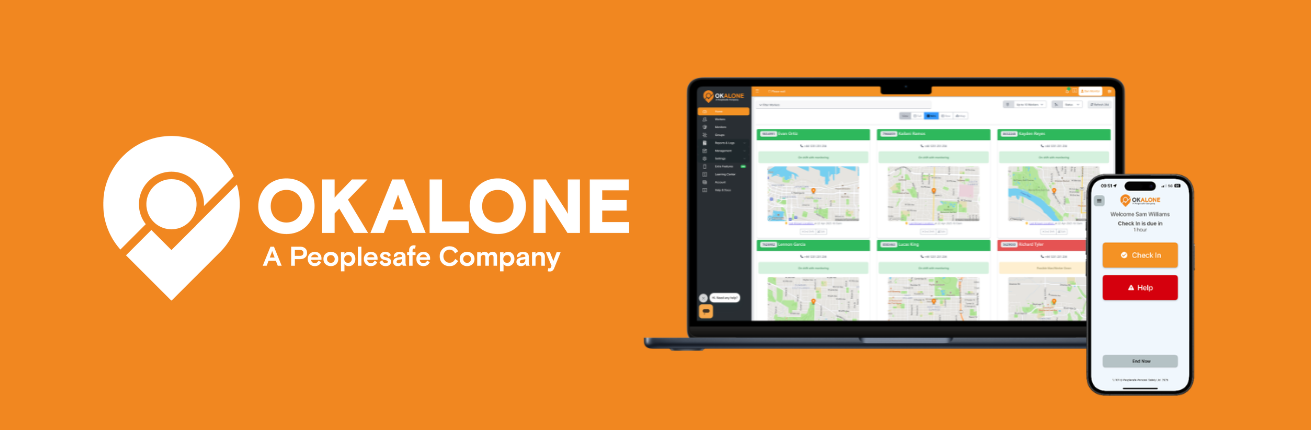
Lone worker protection has changed in recent years. In 2026, organizations are no longer just choosing panic buttons. They are looking at complete monitoring systems that support detection, escalation and compliance.
Key Takeaways
- Lone worker devices and app-based systems address different safety needs, so the right choice should be driven by risk rather than technology alone.
- Dedicated devices can provide additional protection where falls, physical hazards, or incapacitation are significant concerns.
- App-based monitoring can be a practical alternative for workers who already carry smartphones.
- Structured check-ins can identify when a worker has failed to confirm their safety, even when they have not actively raised an alarm.
- App-based systems can reduce the hardware administration involved in purchasing, distributing, maintaining, and replacing separate devices.
- Employers should consider the level of risk, workforce size, working environment, escalation requirements, usability, and scalability when comparing solutions.
- For higher-risk roles, additional protection such as automatic detection may still be appropriate alongside broader lone worker monitoring.
Most solutions now fall into two categories:
- Dedicated hardware devices
- App-based monitoring platforms
Both aim to improve response, but they work in very different ways. The right choice depends on the level of risk and how teams operate day to day. As organizations review the best lone worker safety apps in 2026, the focus is shifting from standalone devices to more complete monitoring solutions.

Understanding Lone Worker Devices
Traditional lone worker devices are one approach within a broader lone worker protection system and include a panic button, sometimes with fall detection.
They are typically used in higher-risk environments where a worker may be injured and unable to call for help. In these situations, automatic detection can be important.
However, devices come with practical challenges. They need to be issued, charged, maintained and replaced. If they are lost or damaged, this creates additional admin. Scaling also takes time, as new devices must be purchased and distributed.
For some organizations, this is necessary. For others, it adds complexity that may not be needed.

The Evolution Toward App-Based Monitoring
App-based platforms such as OK Alone offer a practical alternative to traditional lone worker devices. Instead of relying on a worker to press a button, monitoring is built into the working day. Workers check in at set intervals, and if they do not confirm they are safe, the system automatically escalates.
This means the system does not rely on someone asking for help. A lack of response becomes the trigger. For many roles, especially where isolation is the main risk, organizations are moving towards app-based lone worker solutions that can scale more easily.

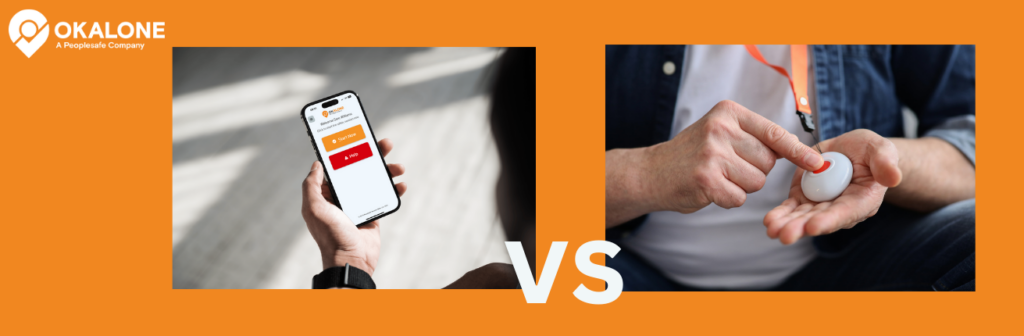
Lone Worker Devices vs App-Based Safety Systems
| Factor | Dedicated Lone Worker Device | App-Based Lone Worker System |
|---|---|---|
| Hardware | Requires a separate device to be purchased, issued, and carried | Uses a compatible smartphone the worker already carries |
| Safety approach | Often includes manual SOS activation and may include automatic detection such as fall alerts | Can build regular safety check-ins and automated escalation into the working day |
| Missed check-ins | Depends on the system and how monitoring is configured | A missed safety confirmation can automatically trigger escalation |
| Deployment | Devices must be purchased, distributed, and assigned to workers | New users can be added without waiting for additional hardware |
| Maintenance | Requires charging, tracking, maintenance, replacement, and hardware administration | Reduces the need to manage a separate fleet of safety devices |
| Scalability | Expanding teams may require additional hardware to be purchased and distributed | Can be easier to scale across changing, seasonal, or distributed teams |
| Best suited to | Roles where significant physical hazards or incapacitation make automatic detection important | Roles where isolation, mobility, and delayed awareness are the primary risks |
Cost and Scalability in 2026
As organizations grow or adapt to changing workloads, the practical side of lone worker safety becomes more noticeable.
Device-based systems, while effective in the right environments, introduce a layer of operational management that does not go away over time. Devices need to be purchased, issued, tracked, maintained and eventually replaced. If teams expand quickly or operate across multiple locations, this process can slow things down and add cost in ways that are not always obvious at the outset.
This is where app-based approaches begin to stand out.
OK Alone operates through smartphones that workers already carry. There is no additional equipment to manage, and no delay while devices are ordered or distributed. New users can be added as needed, which makes it easier to support contractor networks, seasonal demand or multi-site operations without introducing extra complexity.
For many organizations, this shift is not just about cost reduction, but about creating a more cost-effective lone worker safety approach. It is about removing friction from the process of keeping people safe.

Compliance and Proportionality
When it comes to lone worker safety, there is no single solution that fits every situation. What matters is that the controls in place are appropriate for the level of risk.
Health and safety guidance does not require specific devices. Instead, it expects employers to take reasonably practicable steps based on a clear understanding of the risks involved.
In environments where there is a genuine possibility of a worker being incapacitated, additional measures such as automatic detection may be justified. In other situations, where the primary concern is that someone is working alone and may not be able to raise the alarm, a different approach is often more appropriate.
This is where structured monitoring becomes particularly relevant. By requiring workers to confirm their safety at intervals, and by responding automatically when that confirmation is missed, systems like OK Alone address one of the most common risks: delayed awareness.

When Devices Are Appropriate
There are still many roles where dedicated devices play an important part.
If a worker is exposed to significant physical hazards, such as working with hazardous materials, in confined spaces or around heavy equipment, then relying on manual interaction alone may not be enough. In these cases, devices that include fall detection or automatic alerts can provide an additional layer of protection.
The key point is that these decisions should always be driven by the actual conditions workers face, rather than a one-size-fits-all approach.

When OK Alone Is the Smarter Alternative
In contrast, many roles involve relatively low physical hazard but a high degree of isolation.
Workers in healthcare, housing, social services or property roles may spend long periods alone, often moving between locations and working with minimal direct oversight. In these situations, the risk is not necessarily a sudden incident, but the possibility that something goes unnoticed for too long.
OK Alone is designed to address this directly. By building regular safety confirmation into the working day, and by ensuring that missed check-ins are followed up automatically, it provides a consistent and reliable way to monitor wellbeing without relying on the worker to take action in the moment.
It also allows organizations to scale this approach easily, without introducing the overhead that comes with managing physical devices.

Conclusion
Choosing the right lone worker solution is not about selecting the most advanced technology. It is about choosing an approach that matches the risks people actually face and that can be applied consistently across the organization.
For some environments, devices will continue to play an important role. For many others, particularly where isolation is the main concern, structured monitoring provides a simpler and more scalable lone worker monitoring software approach to maintain oversight.
OK Alone is designed around that principle, offering a practical way to support lone workers without adding unnecessary complexity.

Frequently Asked Questions
No. Controls must be proportionate to the risks identified.
In many roles where risk is lower, structured monitoring can provide sufficient protection.
OK Alone focuses on structured monitoring rather than hardware-based detection.
Healthcare, housing, social services and field-based roles.
Yes, when supported by clear check-in and escalation processes.
No. It operates through smartphones.
Yes. New users can be added quickly without equipment.
It reduces hardware and maintenance costs compared to device-based systems.
Missed check-ins trigger automated escalation based on predefined workflows.
It provides a clear record of monitoring and response, supporting duty of care.




Stacey Manclark
As an expert in lone worker content management, I possess an extensive knowledge base and experience in the area of lone working and safety monitoring. My expertise in this field encompasses a wide range of areas, including risk assessment, training, communication, and technology. I have a deep understanding of the unique risks associated with lone workers and have researched and written many projects and articles to educate people in how to mitigate these risks.
Throughout my time with OK Alone, I have kept up to date with technological developments, legislative changes and regulations that have been introduced to help organizations ensure the safety of their lone workers.
Book a Demo Today
Alternatively, get a free trial of the app
Want to try OK Alone? Click the button below and enter your details. It's free and no credit card is required.
