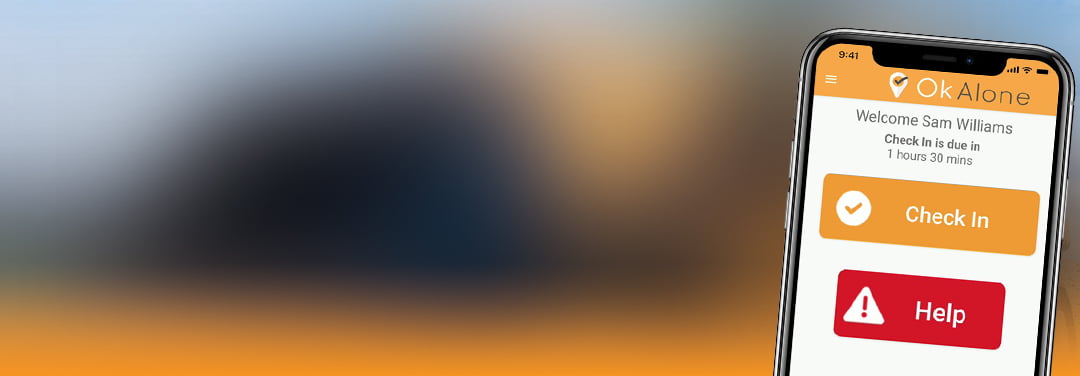
Lone Working with Siri on your iPhone
The latest version of our Ok Alone lone worker app provides Siri shortcuts so you can now use Siri to update your Ok Alone status. This means you can use Ok Alone when working alone in a vehicle, working on the move or any other time you may need to be hands free.
What is Siri?
Siri is the voice controlled personal assistant on your iPhone. Siri allows you to use your voice to do things on your iPhone, such as sending an SMS, making a call or playing music. Any user with an iPhone and Ok Alone can now easily use Siri to start a shift, check in or get help – all using you voice, hands free.
How Does Ok Alone Work With Siri?
When you have installed Ok Alone and registered your account using your Worker ID we will provide some shortcuts to Siri.
This means that you can use Siri to perform actions on the Ok Alone lone worker app, such as starting a shift or checking in.
All you need to do is record a voice command for each action and you are ready to go.
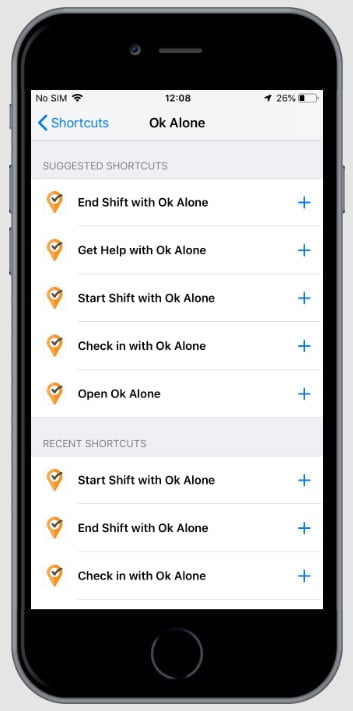
How to Link Siri to Ok Alone
Once you have set up the Ok Alone app carry out the following steps to use Siri when you are lone working.
- Go to Settings > Siri & Search
- Click on the ‘All Shortcuts’ button
- Scroll down to ‘Ok Alone’ and click ‘See All’
- Choose a shortcut to add, e.g. ‘Check in with Ok Alone’
- Record your voice command, e.g. “Check in now”
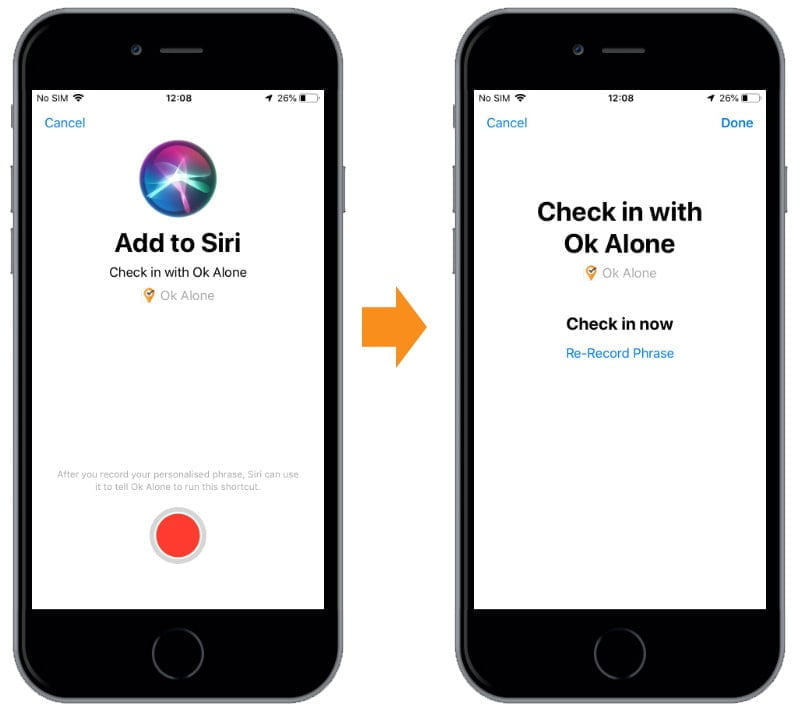
You are ready to go. You can simply say “Check in now” to Siri and the Ok Alone lone worker app will be opened and automatically check you in.
You can record Siri Shortcuts for
- Check in with Ok Alone
- Start Shift with Ok Alone
- Get Help with Ok Alone
- End Shift with Ok Alone
- Open Ok Alone.
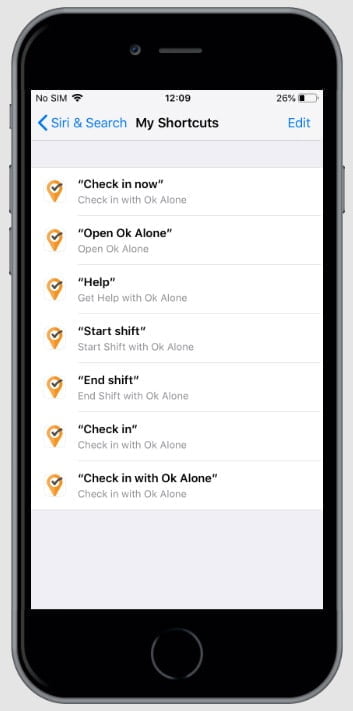
To view all your lone worker shortcuts you can go to Settings > Siri & Search >My Shortcuts.
Frequently Asked Questions
The article describes shortcuts for checking in, starting or ending a shift, requesting help, and opening the OK Alone app. Available actions depend on the installed app and supported iPhone settings.
Install OK Alone, register with your Worker ID, and follow the app's Siri Shortcuts setup instructions. The location of shortcut settings may vary by iOS version.
The setup described here lets you record a spoken phrase for an action, such as checking in. Test your chosen shortcut to confirm it performs the intended action.
No. Follow your organization's agreed check-in and escalation procedures, and confirm each action has been completed in the app.
Book a Demo Today
Alternatively, get a free trial of the app
Want to try OK Alone? Click the button below and enter your details. It's free and no credit card is required.
