Explore OK Alone

Comparing Lone Worker Safety Apps?
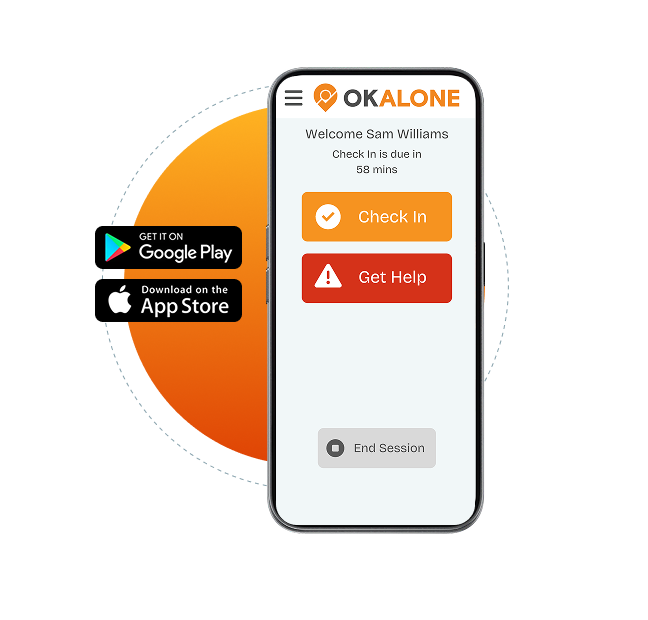
Looking at alternatives to your current lone worker app? Compare the practical essentials: check-ins, Help Alerts, monitoring responsibilities, integration options, and how the system will work for your team.
Compare Plans
Best lone worker apps available on Google Play and Apple App Store

Join 400,000 employees already protected by OK Alone

Five Questions Worth Asking Before You Choose

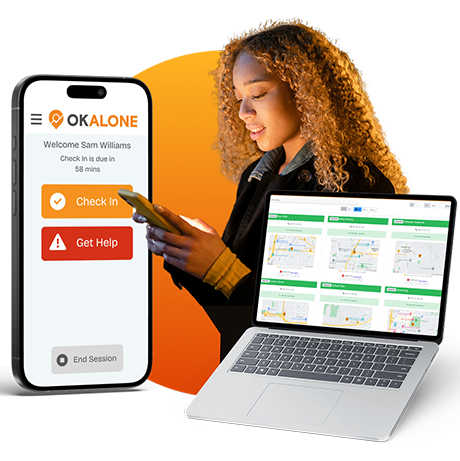
How Do Workers Check In?
Find out how workers start shifts, confirm they are safe, and manage reminders without unnecessary friction.
OK Alone App and Dashboard
What Can Managers See?
Review dashboard access, check-in history, available location information, and how alerts are handled.
Who Responds to Alerts?
Clarify whether alerts go to your in-house team, an automated escalation process, or a professional monitoring service.
Man down alarms alert supervisors when lone workers become unresponsive. Man down app
What Happens if Someone Cannot Respond?
Ask about inactivity alerts, man down, fall detection, and how the escalation procedure can be configured.
Will It Fit Our Operations?
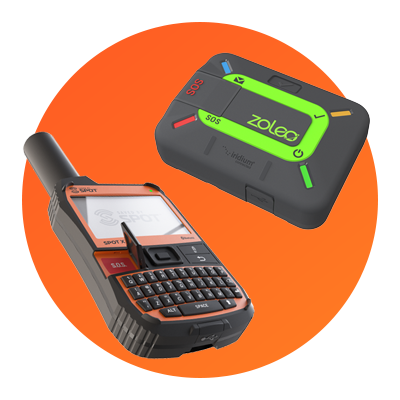
Review support for integrations, remote workers, satellite options, and different employee roles.

Find Your Fit

Compare OK Alone Protection Plans

Choosing a lone worker app is also about deciding who monitors employees and what happens when an alert is raised. Compare the options below, from in-house oversight and automated escalation to professional 24/7 response and more tailored arrangements.

Essential Protection

Monitor and locate your at-risk workers in-house.
Find out more

Core tools for teams that manage their own worker monitoring:

  • GPS Location Tracking
  • SOS Alarm
  • Timed activity alerts
  • Mobile App and Safety Dashboard
  • Incident Reporting

Automated Monitoring

Know when workers may need help through automated notifications and escalation.
Find out more

Essential Protection features plus additional automation:

  • End of Shift and Check-In Reminders
  • Out of Hours Alerts
  • Automated Alarm Escalation

Recommended Plan
24/7 Emergency Response

Add professional 24/7 monitoring through the Safety Monitoring Center.
Find out more

Essential and automated monitoring features, plus:

  • Professional Safety Monitoring Center
  • 24/7 Monitoring and Emergency Response
  • Alarm Handling by Trained Agents

Enterprise

Discuss protection options designed for teams with more complex needs.
Find out more

Explore enhanced and tailored capabilities, subject to your selected arrangement:

  • API Integration
  • Satellite Devices
  • Enhanced GPS Options
  • Scheduled Reports

Monitor and locate your at-risk workers in-house.
Find out more

Core tools for teams that manage their own worker monitoring:

  • GPS Location Tracking
  • SOS Alarm
  • Timed activity alerts
  • Mobile App and Safety Dashboard
  • Incident Reporting

Know when workers may need help through automated notifications and escalation.
Find out more

Essential Protection features plus additional automation:

  • End of Shift and Check-In Reminders
  • Out of Hours Alerts
  • Automated Alarm Escalation

Recommended Plan
Add professional 24/7 monitoring through the Safety Monitoring Center.
Find out more

Essential and automated monitoring features, plus:

  • Professional Safety Monitoring Center
  • 24/7 Monitoring and Emergency Response
  • Alarm Handling by Trained Agents

Discuss protection options designed for teams with more complex needs.
Find out more

Explore enhanced and tailored capabilities, subject to your selected arrangement:

  • API Integration
  • Satellite Devices
  • Enhanced GPS Options
  • Scheduled Reports
Case Studies

Why Buyers Consider OK Alone

Hear from customers who explored working-alone protection for their teams.

View all Case Studies

After looking at most of the options out there the OK Alone app was the perfect solution for our security company. Simple to use with lots of useful features to create reports and quickly check how the officers are using the service. This was by far the easiest to use and most cost effective of all the lone worker apps I looked at. We couldn’t be happier with the service.
Ben Beveridge, Black and White Key Security
We love the OK Alone working alone solution. It allows us full control of our working alone protocols with an easy to use and cost effective solution. With the support of the OK Alone App, we can ensure that our employees stay in contact and are safe at all times.
Norm De Wet, Athabasca County

Comparing Lone Worker Solutions

Start with the risks faced by your workers and the response they need. Compare check-in processes, help alerts, worker status visibility, escalation routes, usability, and available support.

No. The plan options distinguish in-house monitoring, automated monitoring features, and professional 24/7 emergency response. Check the current plan details before choosing.

OK Alone offers selected integrations and API options. Availability can depend on the platform and selected setup; the team can confirm your use case.

See Whether OK Alone Is the Right Fit

Compare your requirements with the OK Alone team. Book a product walkthrough and discuss the monitoring and response options available.
Book a Demo
Enquire
Hi. Need any help?