Worker Connectivity View & Safety Links Update
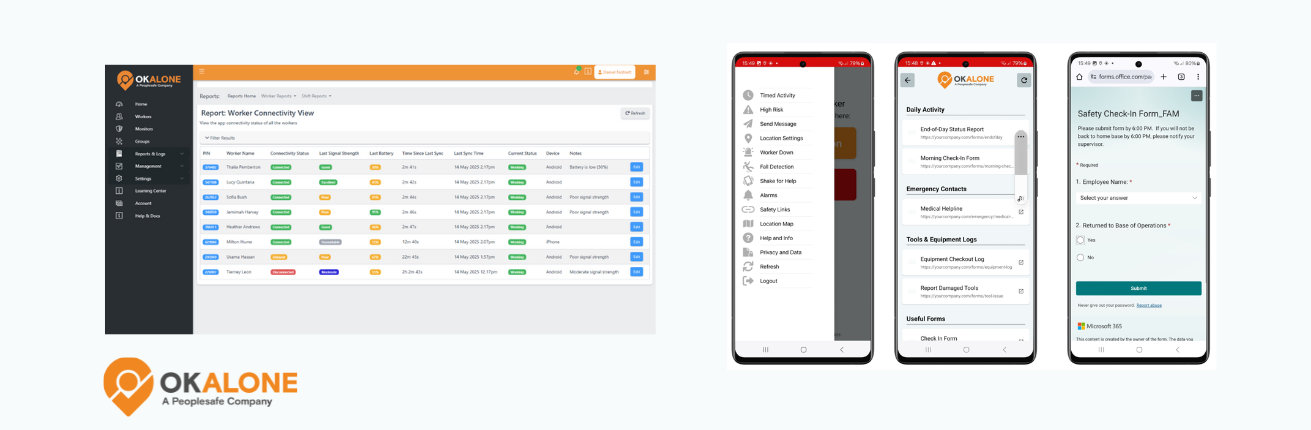
We’ve just rolled out two feature renames that make things easier to understand — for both workers in the field and the managers who support them.
App Connectivity → Worker Connectivity View
This feature gives supervisors a real-time view of each worker’s device status — including signal strength, battery level and connection quality — right from the OK Alone dashboard.
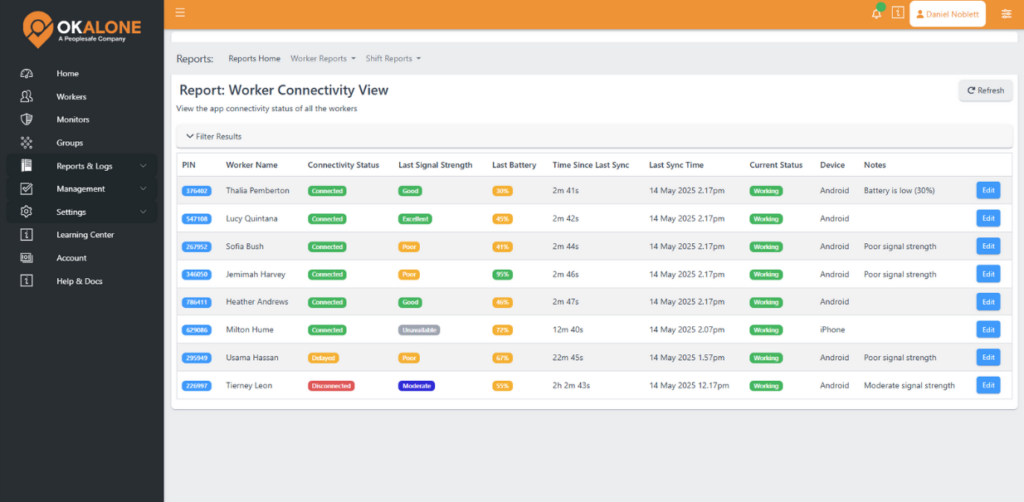
The old name didn’t quite capture what people actually see and use. Worker Connectivity View says it plainly: this is about visibility into worker connectivity so you can tell why a check-in was delayed or missed and act with confidence.
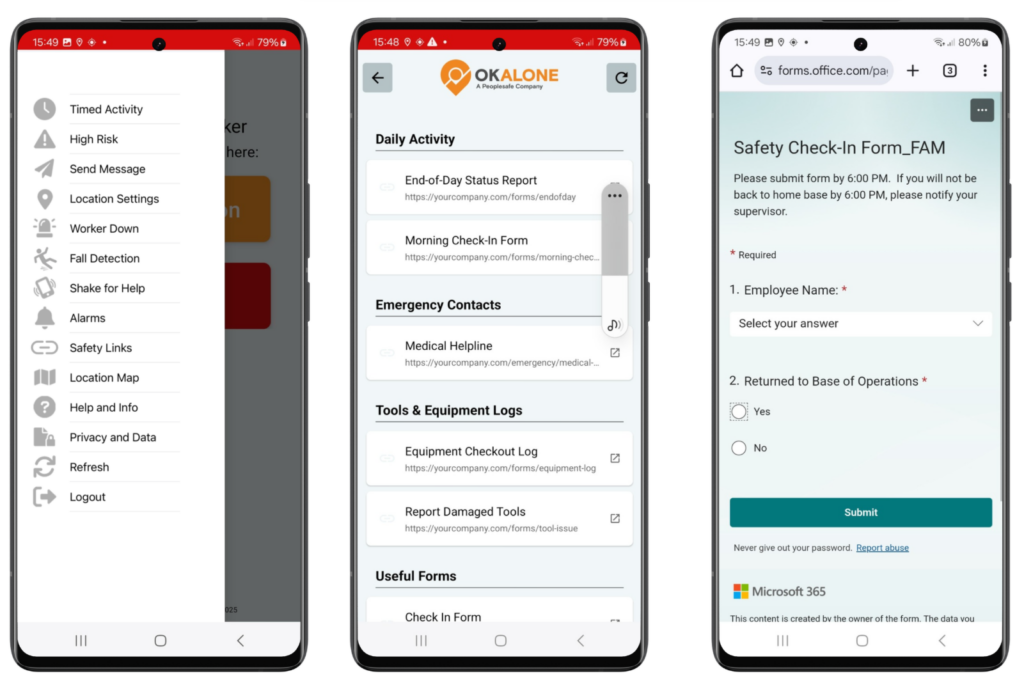
Useful Links → Safety Links
This section inside the app now clearly reflects its purpose: a hub for safety-related resource such as forms, emergency contacts, check-in guides and other essential tools your team needs on the job. The old label was too generic — Safety Links makes it obvious this isn’t just any list of URLs.
Why It Matters
These new names are more intuitive and honest about what the features do. That matters when you’re training teams or onboarding new users — there’s less explaining required and less room for misunderstanding.
Both updates align with how we position the features: practical safety tools that help you protect your people and keep operations running without needless confusion.


Stacey Manclark
As an expert in lone worker content management, I possess an extensive knowledge base and experience in the area of lone working and safety monitoring. My expertise in this field encompasses a wide range of areas, including risk assessment, training, communication, and technology. I have a deep understanding of the unique risks associated with lone workers and have researched and written many projects and articles to educate people in how to mitigate these risks.
Throughout my time with OK Alone, I have kept up to date with technological developments, legislative changes and regulations that have been introduced to help organizations ensure the safety of their lone workers.
Book a Demo Today
Alternatively, get a free trial of the app
Want to try OK Alone? Click the button below and enter your details. It's free and no credit card is required.
