Fast Access to Help

Workplace Panic Button for Employee Safety

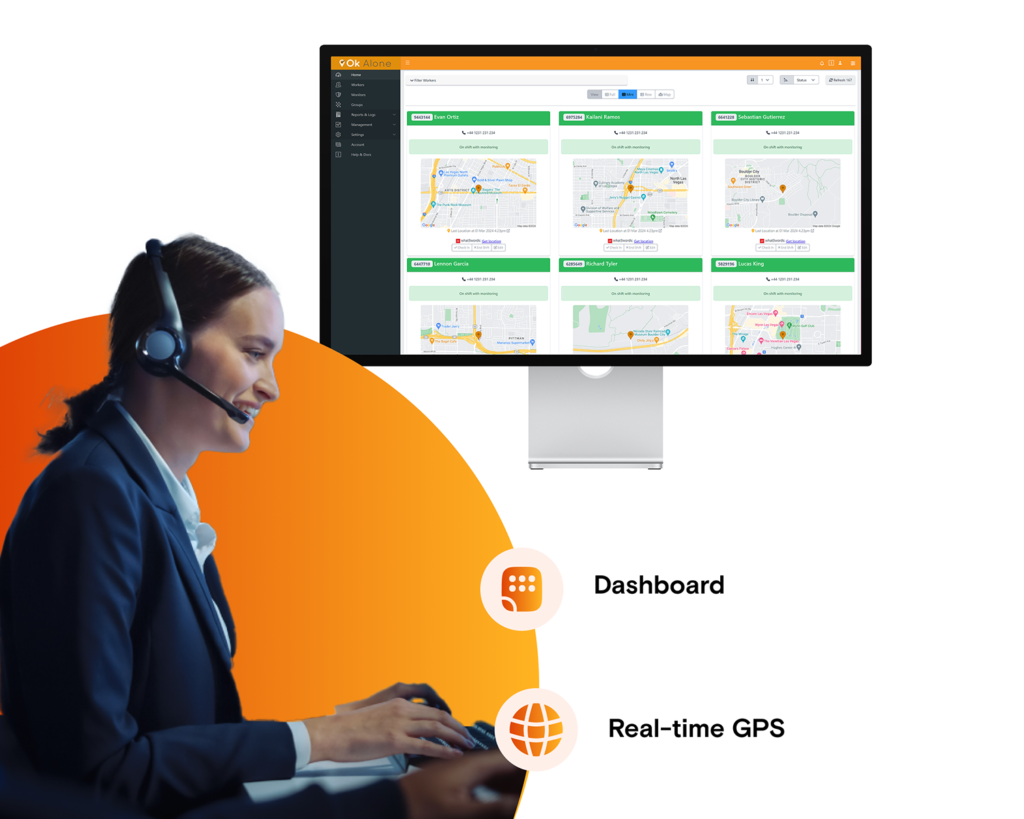
When an employee needs help, raising the alarm should be simple. OK Alone gives mobile and desk-based workers a straightforward way to request assistance, with alerts routed to the right people under your response plan.
Get a Quote

Join 400,000 employees already protected by OK Alone

Protection You Can Count On

employees protected
countries served
protecting lone workers since

How a Workplace Panic Button Works

From requesting assistance to responding to an alert, OK Alone supports an agreed workplace safety process. The exact steps depend on your chosen monitoring arrangements.

An Employee Raises an Alert

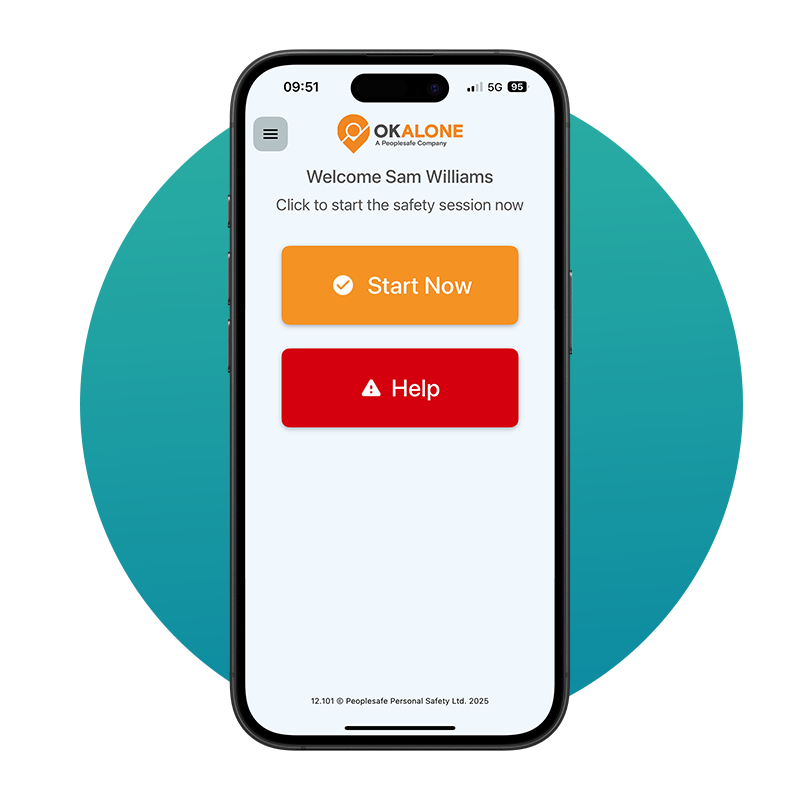
The worker selects the Help button in the OK Alone app, uses an enabled alternative, or activates the desktop Help option.

Designated Monitors Are Notified

The Help Alert is routed to designated monitors with available employee details and location information where supported.

Your Team Follows the Response Plan

Your responders follow agreed contact and escalation procedures. Professional 24/7 monitoring is available as a separate service option.

The Right Help Button for the Right Workplace

A Help Alert is useful where workers may be alone with customers, working outside normal hours, or unable to leave their workstation safely. Use the examples below to consider where an agreed panic button procedure could add protection.

Reception and Front-of-House
Staff dealing with visitors or customers on their own need a clear, accessible way to request support when a situation becomes threatening.
Hotels and Hospitality
Night staff, hotel receptionists, and concierge teams can use an agreed alert process when help is needed during isolated shifts.
Retail and Closing Shifts
Store employees opening or closing alone can benefit from a straightforward way to alert colleagues or designated monitors.

Built to Support a Practical Response

A panic button is only useful when employees can activate it and someone knows how to respond. Select a feature to see how OK Alone can fit your safety process.

Mobile Help Button

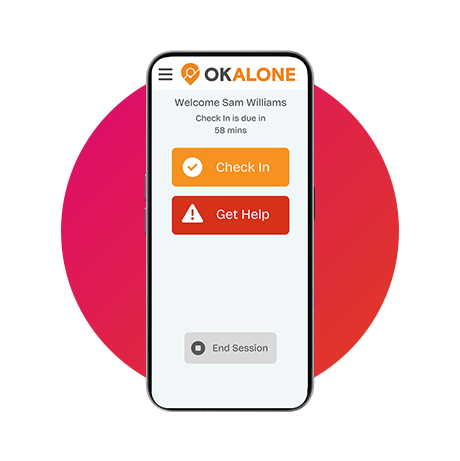
The red Help button is built into the OK Alone app. During an active shift, an employee can request help and confirm the alert, which is routed to their designated monitors. Configurable Hold for Help can help reduce accidental requests.

Discreet Help Options

Depending on the device and enabled settings, workers may be able to request assistance through voice activation or supported discreet shortcuts. Choose a method workers can use safely in the situations they may face.

See and Respond to Alerts

Designated monitors can receive Help Alerts with available worker details and location context, then follow your organization's agreed escalation procedure. Professional live monitoring is available under a separate service option.

Help for Desk-Based Staff

OK Alone also offers a desktop help option for employees at computers, such as receptionists or office staff. An on-screen Help control can provide a discreet way to notify assigned monitors without relying on a mobile handset. Check which desktop configuration fits your environment.

Case Studies

What OK Alone Customers Value

Customer feedback about the wider OK Alone app and monitoring platform, rather than the panic button feature alone.

View all Case Studies
Having OK Alone paired with Geotab is a great feature from a management point of view. With vehicles and staff visible on the same app, it provides me with both location and safety assurance and is a one-stop shop for assessing field work.
Ed Hoppe, City of Kelowna
We love the OK Alone working alone solution. It allows us full control of our working alone protocols with an easy to use and cost effective solution. With the support of the OK Alone App, we can ensure that our employees stay in contact and are safe at all times.
Norm De Wet, Athabasca County

See How a Workplace Panic Button Could Work for Your Team

We can show you how Help Alerts work, how alerts are routed, and how to align the setup with your response procedures and workforce needs.
Book a Demo
Enquire
Hi. Need any help?